Algolia Search
Algolia is the search tool powering the search bar on your distributor site. When a visitor types in the search bar, Algolia instantly finds and displays matching products — no page reload needed.
How the search works
When a visitor clicks the search bar on your site, they see two things:
- Pre-search panel — shown right away before they start typing. This can display popular search links and hand-picked "Hot Picks" product cards.
- Live suggestions — once they type 3 or more characters, up to 8 matching products appear instantly, showing the product image, name, price, and whether it's in stock.
Pressing Enter or clicking "See all results" opens the full search results page, where visitors can also filter by category, price range, and stock status.
Search panel
You can customise what visitors see when they click the search bar before typing anything.
In WordPress, hover over ACF in the left-hand menu and click Options.
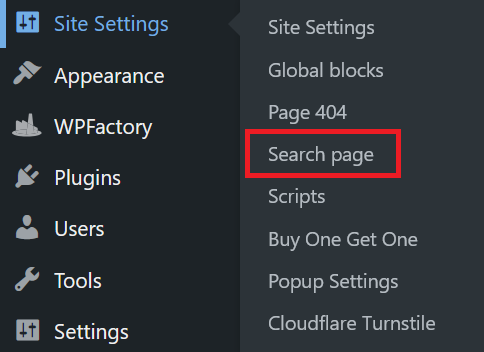
Navigate to the Search Panel tab.
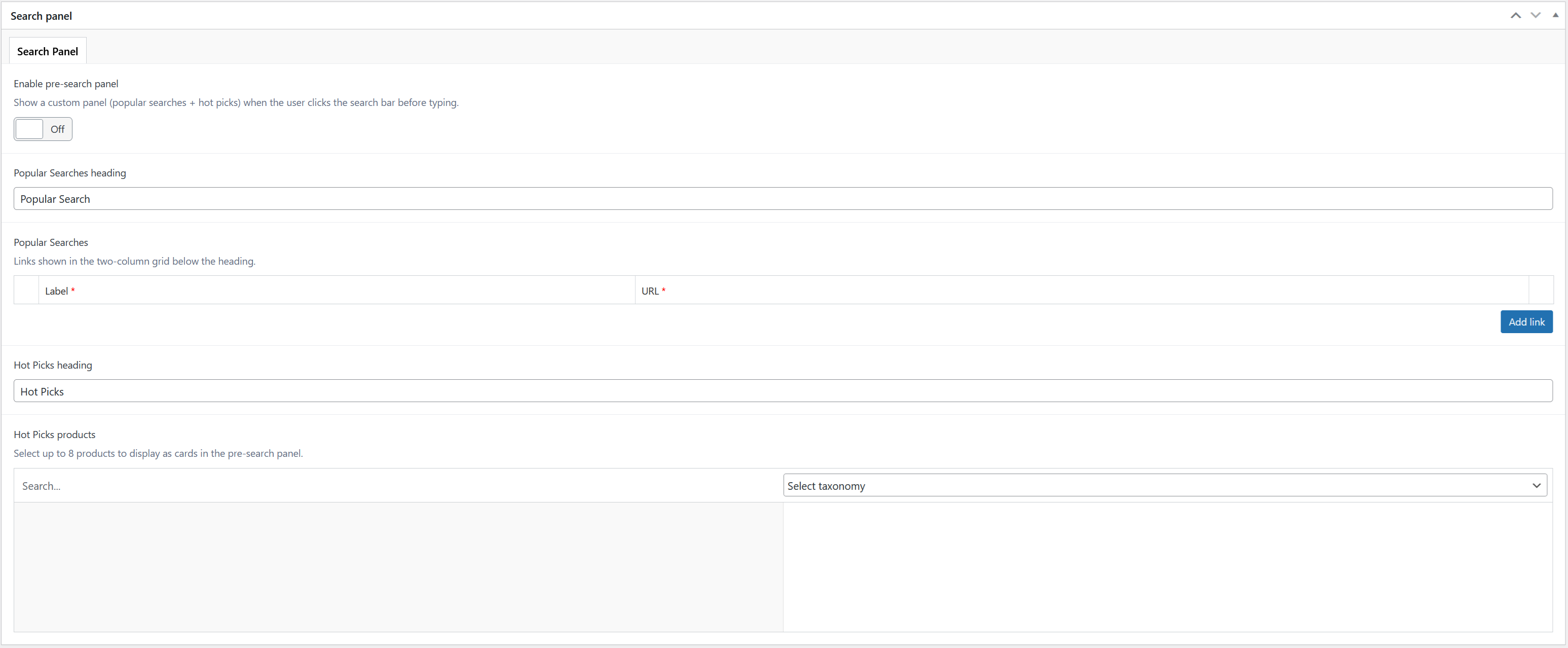
| Field | Description |
|---|---|
| Enable pre-search panel | Turn this on to show content before the visitor starts typing. Turn it off to keep the area empty until they type. |
| Popular Searches heading | The heading text above the popular search links (e.g. "Popular Search"). |
| Popular Searches | A list of up to 20 links you want to highlight — each with a label and a URL. |
| Hot Picks heading | The heading text above the featured product cards (e.g. "Hot Picks"). |
| Hot Picks products | Choose up to 8 products to showcase. They'll appear as cards with the product image, name, and price. |
Once you have made your changes, click Update / Publish on the right to save. Changes go live on your site immediately.
Product indexing
Your products are kept up to date in the search automatically — whenever you add, edit, or remove a product, the search results update on their own.
If you ever notice products appearing incorrectly in search, you can trigger a manual refresh. Please consult Globber IT team for assistance if you need help.