Google Tag Manager (GTM)
Use Google Tag Manager to add and manage tracking scripts (analytics, pixels, marketing tags) without editing your site code.
Where to setup GTM on WordPress admin
In the left menu of WordPress, go to Site Settings.
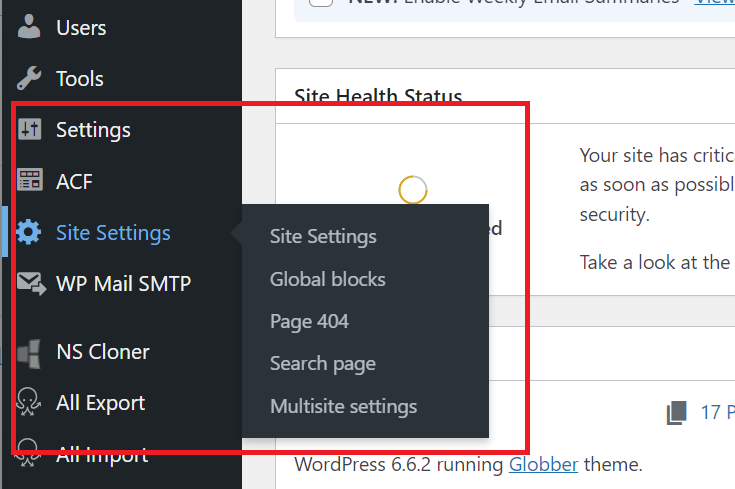
On the General settings panel, open the tab Google Tag Manager. This tab contains fields for your GTM container IDs.

Enter your Regional Container ID
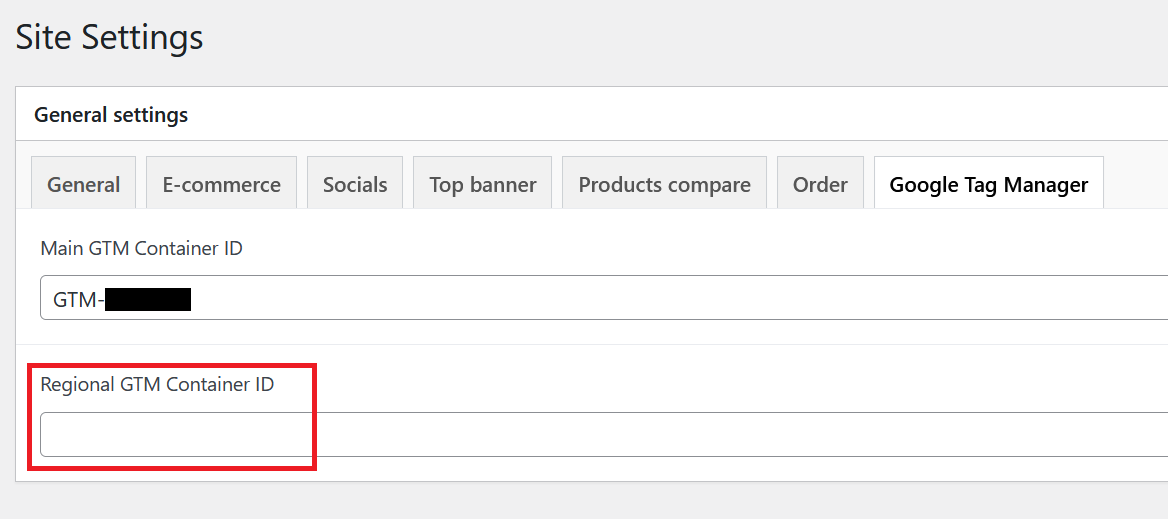
Regional teams should only fill in the Regional GTM Container ID (e.g., GTM-AB12CDE) for their Globber subsite.
Do not edit the Main GTM Container ID as it's managed by the Globber team.
Regional GTM Container ID can be found on the top-right corner of your Globber regional site's Google Tag Manager dashboard.

After entering your Regional container ID, click Update/Publish to save.
The legacy WordPress Scripts page is deprecated. Manage all tracking via GTM. If you have any questions or require assistance, please contact Globber IT team.