Product Image Alt Banner
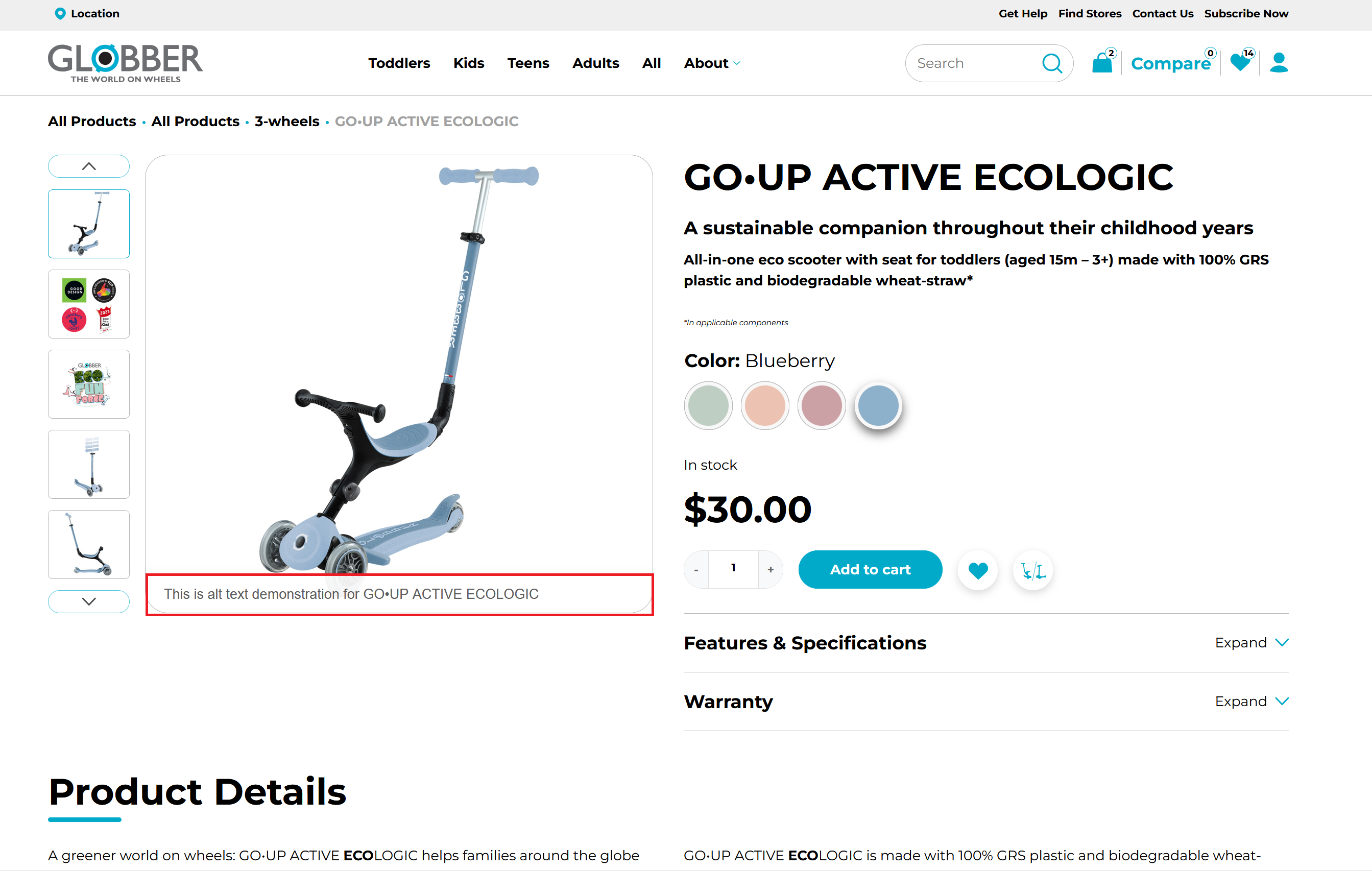
The Product Image Alt Banner shows a short text banner on single product gallery images. The text comes from each image's Alt Text.
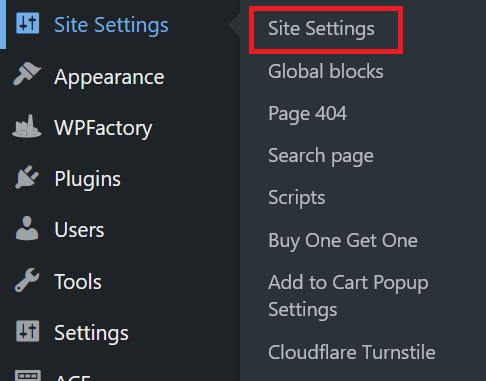
To enable it, go to Site Settings in the WordPress left-hand menu and click Site Settings.
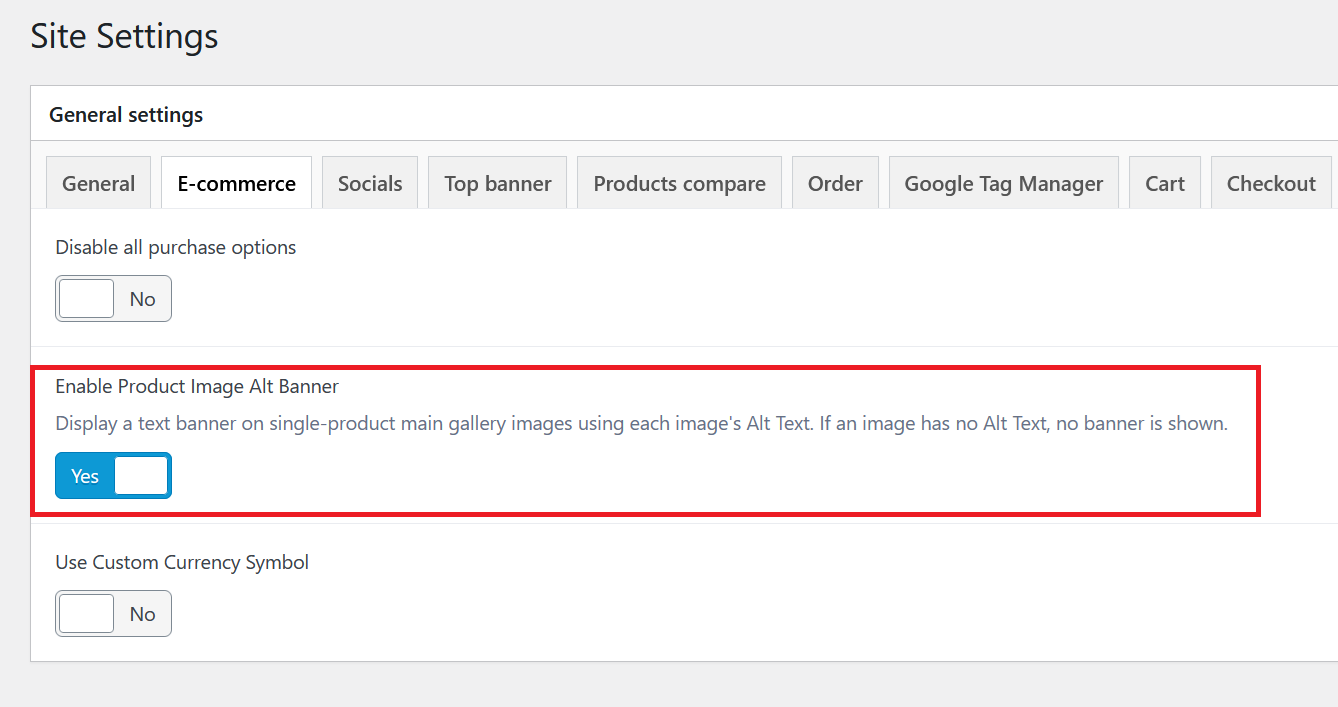
In the General tab, turn on Enable Product Image Alt Banner.
Click Update on the right-hand side to save your changes.
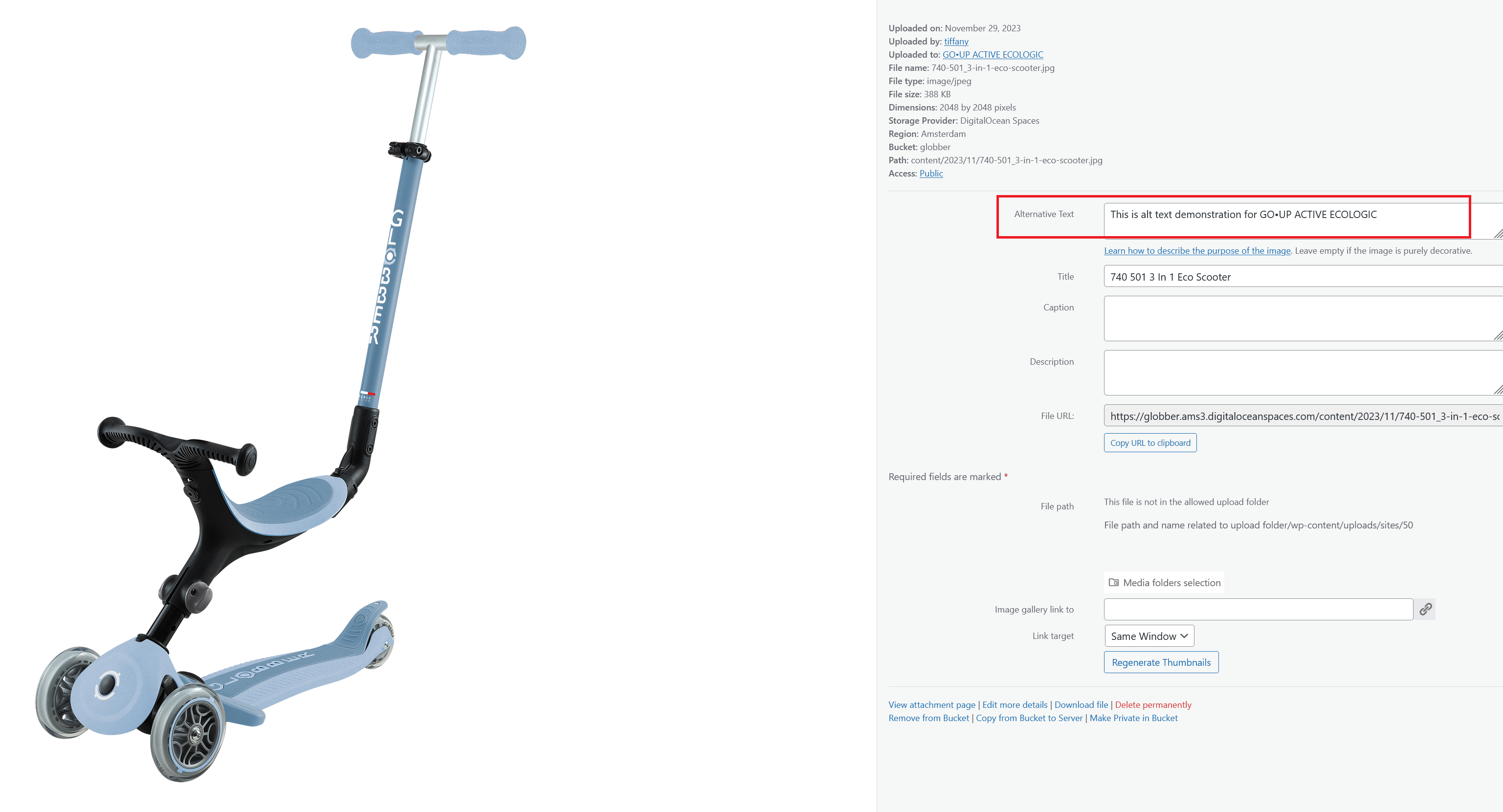
Then edit the product image in the Media Library and enter the text you want in the Alt Text field.
info
You can edit image Alt Text from the Media Library.
If an image has no Alt Text, no banner is shown for that image.