Google Tag Manager (GTM)
Contact the Globber IT team to access your GTM dashboard (request form link coming soon)
Google Tag Manager (GTM) keeps all your website tracking tools in one place and controls when they work.
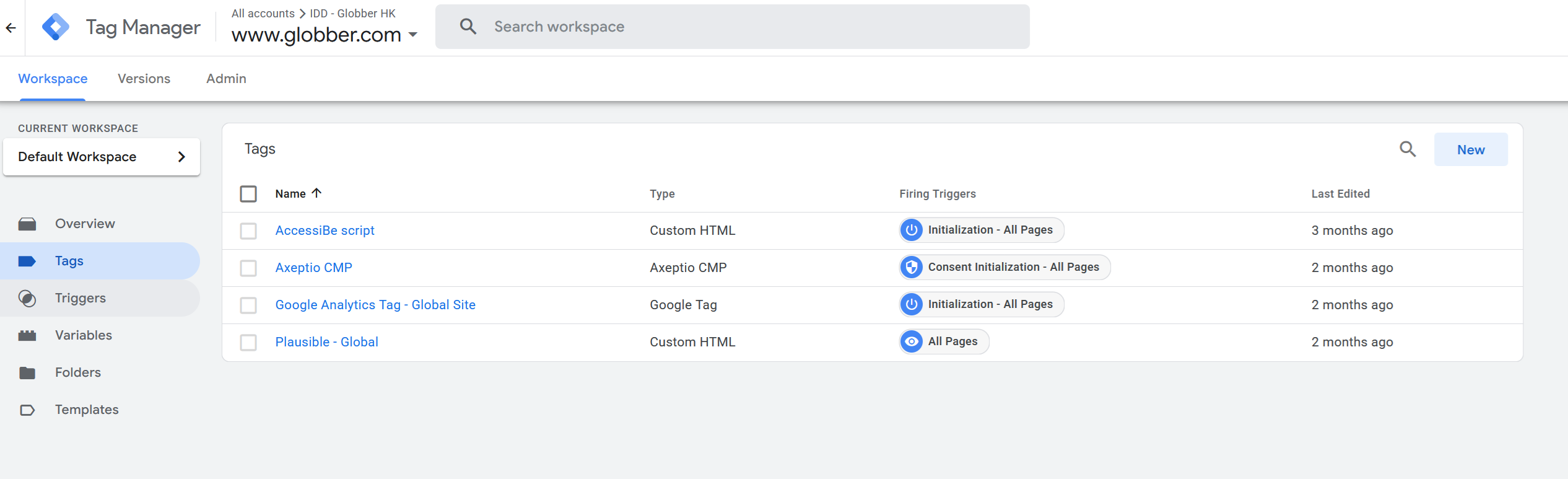
What GTM Manages
Analytics: GA4, Facebook Pixel, LinkedIn Insight Tag
Marketing: Conversion tracking, remarketing tags, email pixels
Website Features: Chat widgets, feedback tools, A/B testing
How GTM Works
Once GTM is installed on your site it will automatically:
- Loads tracking codes when visitors arrive
- Sends data to analytics platforms
- Triggers events based on visitor actions
- Manages privacy settings
dataLayer Events Reference
The Globber theme pushes events to window.dataLayer automatically. All ecommerce events follow the GA4 Enhanced Ecommerce schema.
All ecommerce events are preceded by dataLayer.push({ ecommerce: null }) to clear any previous ecommerce object — this is the recommended GA4 practice.
Ecommerce Events
These events track the customer shopping journey and are compatible with GA4 Enhanced Ecommerce.
| Event | Trigger | Source |
|---|---|---|
view_item_list | Shop, category, search, or related products page loads | Server (PHP) |
view_item | Single product page loads | Server (PHP) |
select_item | Customer clicks a product card in a listing | Client (JS) |
add_to_cart | Customer adds a product to the cart | Client (JS) |
remove_from_cart | Customer removes a product from the cart | Client (JS) |
add_to_wishlist | Customer adds a product to their wishlist | Client (JS) |
view_cart | Cart page loads | Client (JS) |
begin_checkout | Customer proceeds to checkout from the cart | Client (JS) |
purchase | Order confirmation (thank-you) page loads | Server (PHP) |
Example: purchase event payload
dataLayer.push({ ecommerce: null });
dataLayer.push({
  event: 'purchase',
  ecommerce: {
    transaction_id: '12345',
    affiliation: 'Globber HK',
    value: 99.00,
    tax: 0,
    shipping: 10.00,
    currency: 'HKD',
    coupon: 'SUMMER10',     // only present if a coupon was applied
    items: [
      {
        item_id: 'SKU-001',
        item_name: 'Globber One K E-Motion',
        item_brand: 'Globber',
        item_category: 'Electric Scooters',
        item_variant: 'Red',
        price: 89.00,
        quantity: 1,
        discount: 10.00     // only present if a discount was applied
      }
    ]
  }
});
Item object fields
Every items array entry follows this structure:
| Field | Description |
|---|---|
item_id | Product SKU, or WooCommerce product/variation ID if no SKU is set |
item_name | Product name |
affiliation | Site name (e.g. Globber HK) |
item_brand | Brand name (from product_manufacturer taxonomy, ACF brand field, or 'Globber' as default) |
item_category | Primary product category |
item_category2–item_category5 | Additional categories (if the product belongs to more than one) |
item_variant | Variation attribute values joined by / (e.g. Red / Large), only present for variable products |
item_list_name | The list the product was shown in (e.g. Shop, Related Products, Search Results) |
item_list_id | Machine-readable list identifier (e.g. shop, related, search) |
index | Position of the item in its list (1-based) |
price | Unit price at the time of the event |
quantity | Quantity |
discount | Per-unit discount amount, only present when a discount applies |
coupon | Coupon code, only present when a coupon is applied |
currency | ISO 4217 currency code (e.g. HKD, USD) |
Marketing & Checkout Events
| Event | Trigger | Source |
|---|---|---|
checkout_newsletter_optin | Customer places an order and the newsletter opt-in checkbox is shown | Server (PHP) |
checkout_newsletter_optin payload
dataLayer.push({
  event: 'checkout_newsletter_optin',
  newsletter_optin: true,         // or false
  newsletter_provider: 'klaviyo'  // or 'mailchimp'
});
Use this event in GTM to trigger a Klaviyo or Mailchimp subscription tag when newsletter_optin is true. See the Checkout guide for admin configuration.
Popup Events
Popup interactions are tracked automatically by the popup manager.
| Event | Trigger |
|---|---|
popup_view | A popup is displayed to the visitor |
popup_close | Visitor dismisses a popup |
popup_cta_click | Visitor clicks the CTA button inside a popup |
Popup event payload structure
All three popup events share the same popup object:
dataLayer.push({
  event: 'popup_view',   // or 'popup_close' / 'popup_cta_click'
  popup: {
    popup_id: 'promo-summer-2025',
    popup_title: 'Summer Sale',
    template: 'default',
    trigger_type: 'scroll'   // e.g. 'scroll', 'exit_intent', 'timer'
    // popup_cta_click also includes:
    // cta_url: 'https://...',
    // cta_text: 'Shop Now'
  }
});
Adding New Tracking
See Google's guide on Adding and editing tags for detailed instructions on adding new tracking scripts.
Learning Resources
- GTM Help: Support Here
- GTM Training: Learn Today
- Google Analytics Training Course: Get Started
- About GTM: For Developers
Contact the Globber IT team for all GTM assistance and setup.