Reports
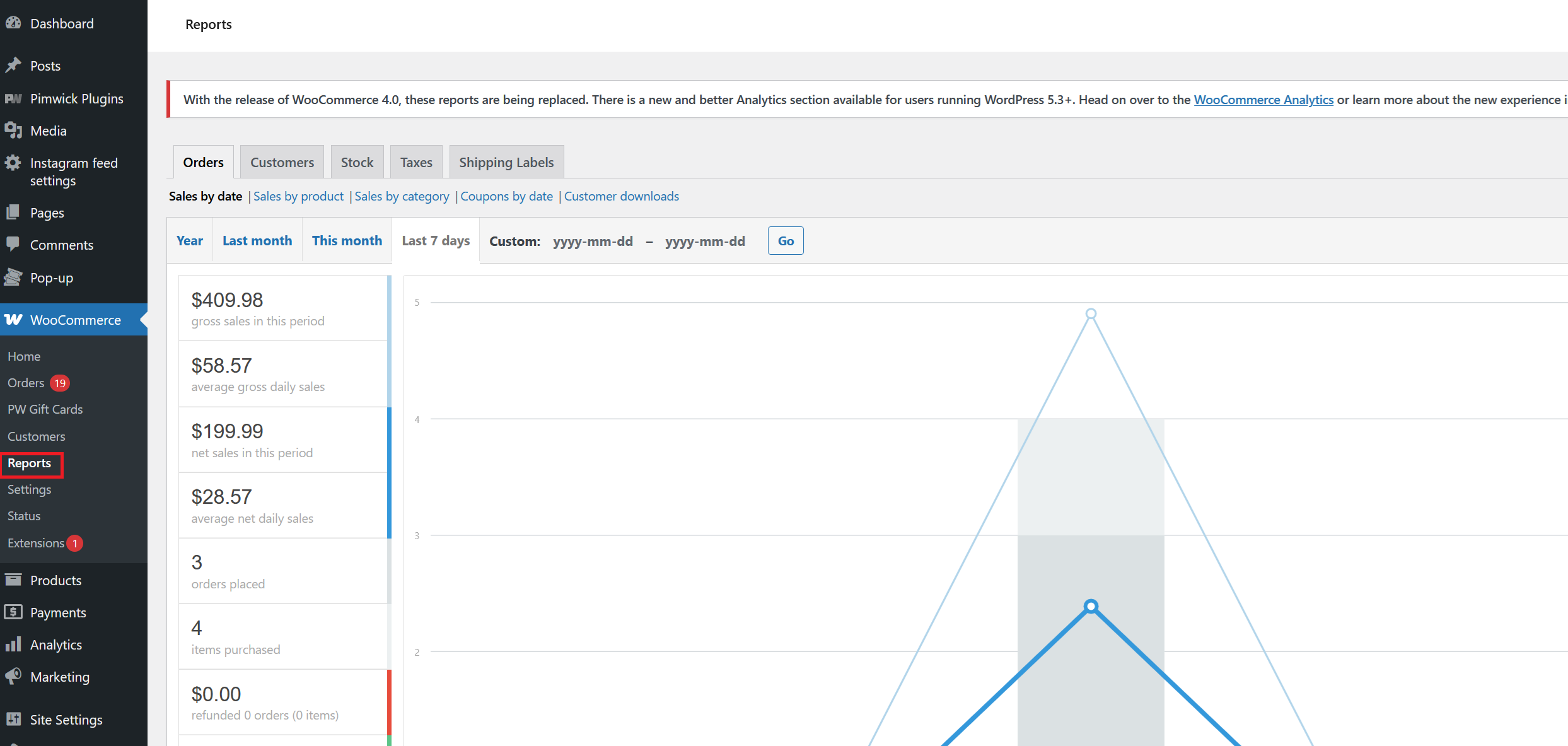
The Reports section in WooCommerce is organized into several tabs, each providing a different perspective on your store’s performance. Use these tabs to access detailed reports and insights:
Tabs:
- Orders: View sales reports by date, product, category, coupons, and customer downloads.
- Customers: Analyze customer activity, including new signups and order history.
- Stock: Monitor inventory levels, including in-stock, out-of-stock, and low-stock products.
- Taxes: Review tax totals collected for each tax rate and time period.
- Shipping Labels: Access reports related to shipping label purchases and usage.
Within the Orders tab, you can select:
- Sales by date: Track total sales over a selected period.
- Sales by product: See sales performance for individual products.
- Sales by category: Analyze sales by product category.
- Coupons by date: Review coupon usage and discounts applied.
- Customer downloads: Monitor downloadable product access by customers.
Use these reports to make informed decisions and optimize your WooCommerce store.
You can also get more reports to analyze your website with the Analytics section.