Settings
At the top of the Settings page, you’ll find several tabs:
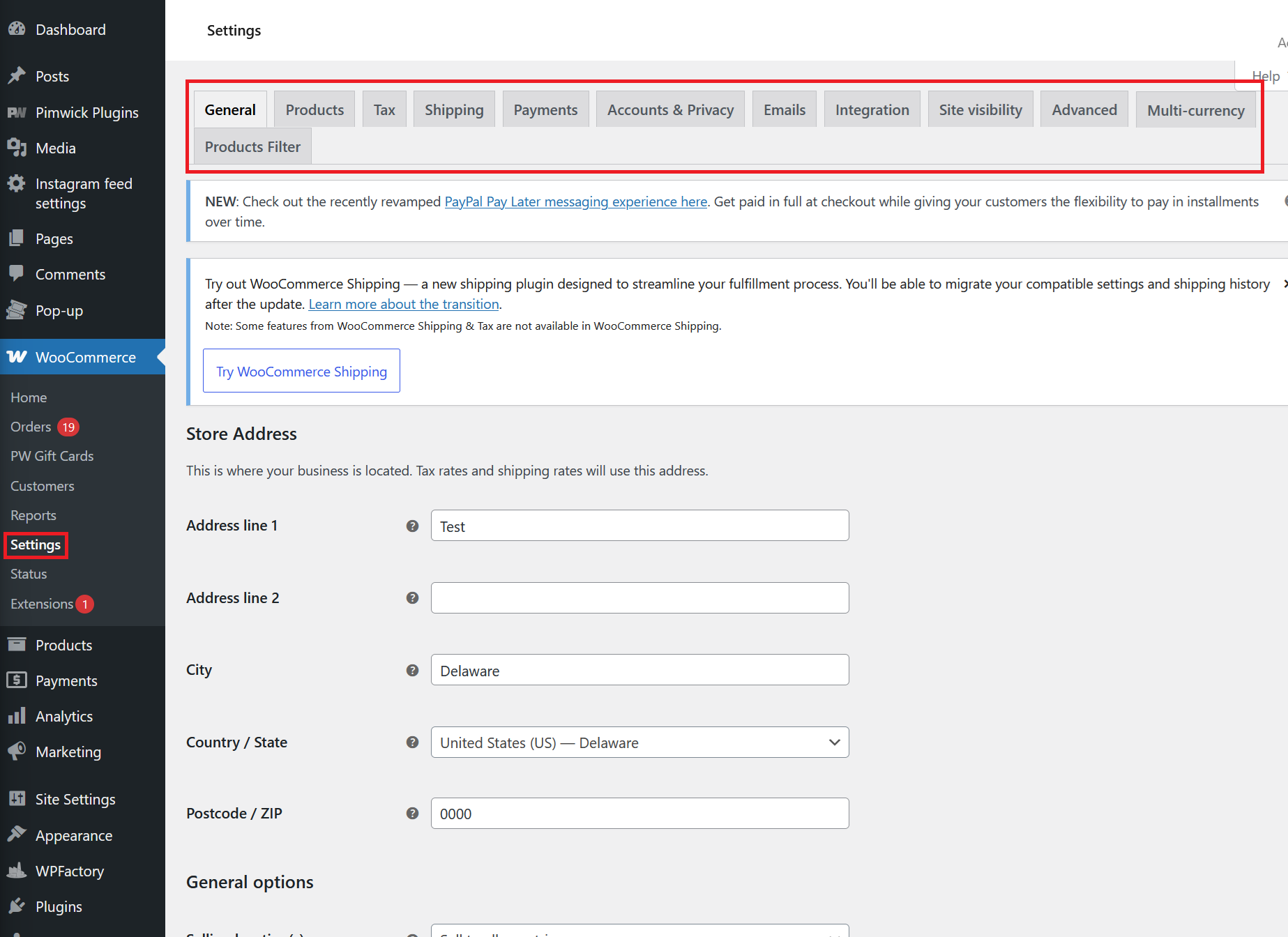
- General: Set your store address, selling and shipping locations, and general options.
- Products: Configure product settings, inventory, downloadable products, and measurements.
- Tax: Manage tax rates, tax classes, and display options for prices and taxes.
- Shipping: Set up shipping zones, methods, and rates for your store.
- Payments: Enable and configure payment gateways such as PayPal, Stripe, and others.
- Accounts & Privacy: Control customer account creation, privacy, and data retention policies.
- Emails: Customize email notifications sent to customers and admins.
- Integration: Connect with third-party services and plugins.
- Site visibility: Manage visibility and access settings for your store.
- Advanced: Access advanced options like REST API, webhooks, and custom endpoints.
- Multi-currency: (If enabled) Configure multiple currencies for your store.
Notices and Shipping
You may see notices about new features or recommended plugins, such as WooCommerce Shipping, which helps streamline order fulfillment and shipping label creation.
Store Address
Set your business’s physical address here. This address is used for calculating tax rates and shipping options:
- Address line 1 & 2
- City
- Country / State
- Postcode / ZIP
General Options
- Selling location(s): Choose which countries you sell to.
- Shipping location(s): Choose which countries you ship to.
- Default customer location: Set the default location for new customers (used for tax/shipping calculations).
Configuring these options ensures your store’s taxes, shipping, and payments work as expected for your business and customers.