Marketing Tools Directory
Welcome! Sales season is coming. Use these tools to run promotions, show offers, and sell more.
Each tool has simple instructions with pictures. No technical skills needed.
Sale Pricing
Change prices on your products to show sales and discounts.
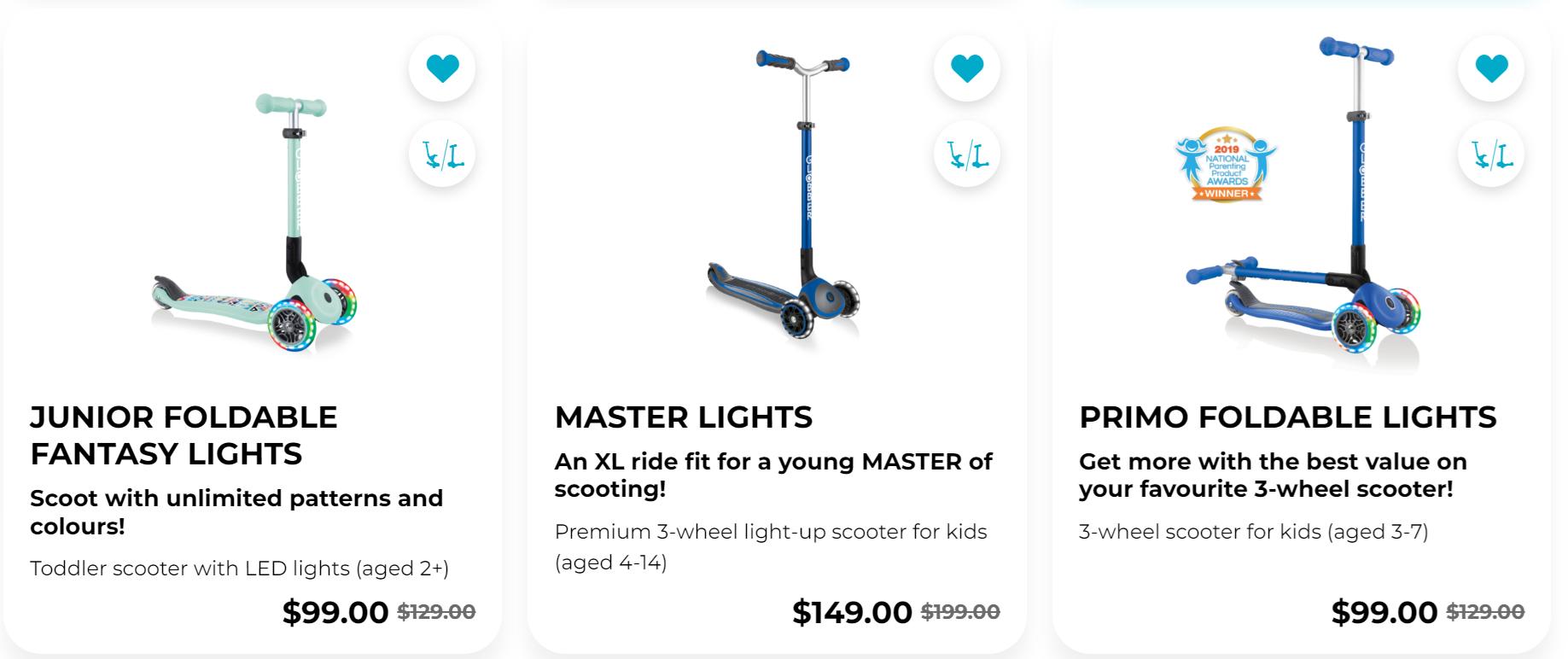
What you can do:
- Set sale prices on products (show "Was $50, Now $35")
- Change one product or many products at once
- Customers see how much they save
How it works: Download your products to a spreadsheet, change the prices, upload it back. Prices update on your website right away.
New ✨ Buy One Get One (BOGO)
Create "buy one get one" deals (Buy 1 Get 1 Free, Buy 2 Get 1 at 50% off, etc.).
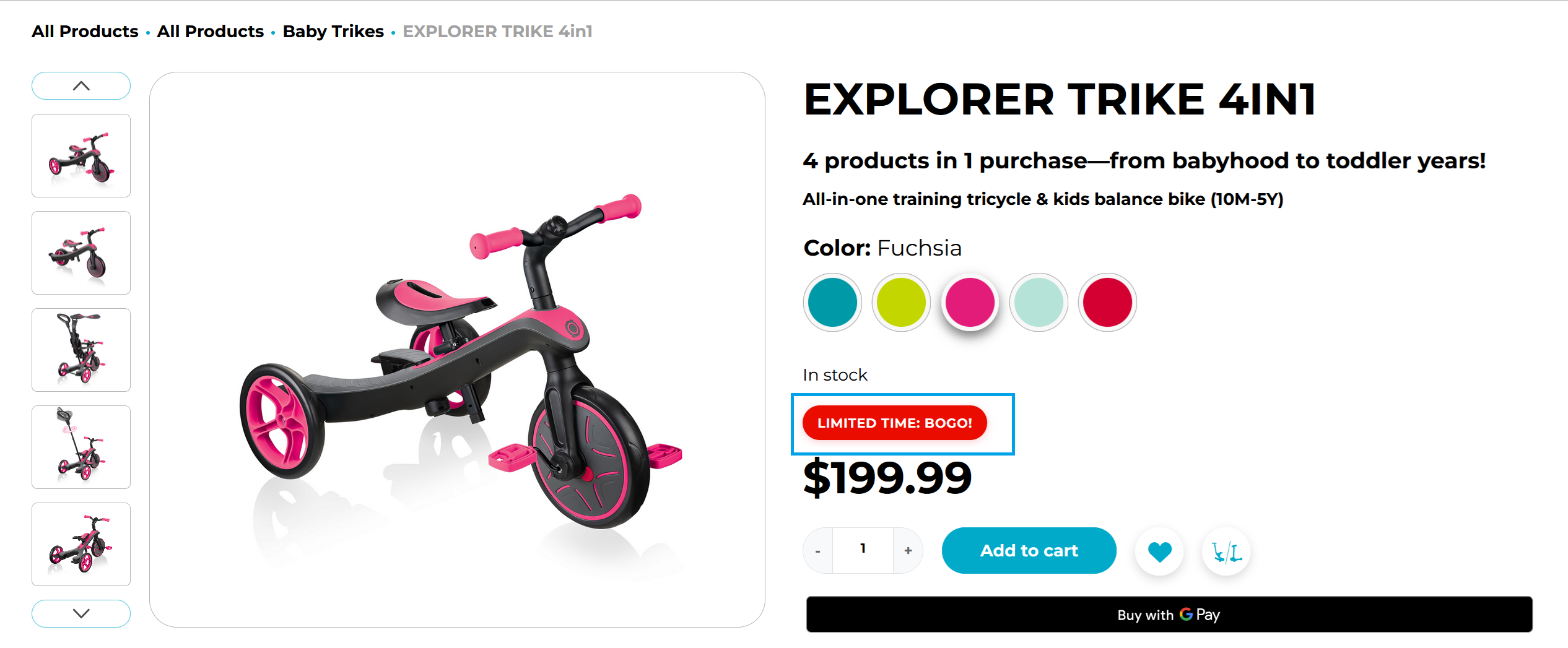
What you can do:
- Choose which products get the deal
- Show badges on products
- Set start and end dates
- Control who can see the deal
How it works: Pick your deal type, select products, set quantities. Badges and discounts apply automatically.
→ See how to create BOGO deals
Top Banner
Show a big message bar at the top of your website.
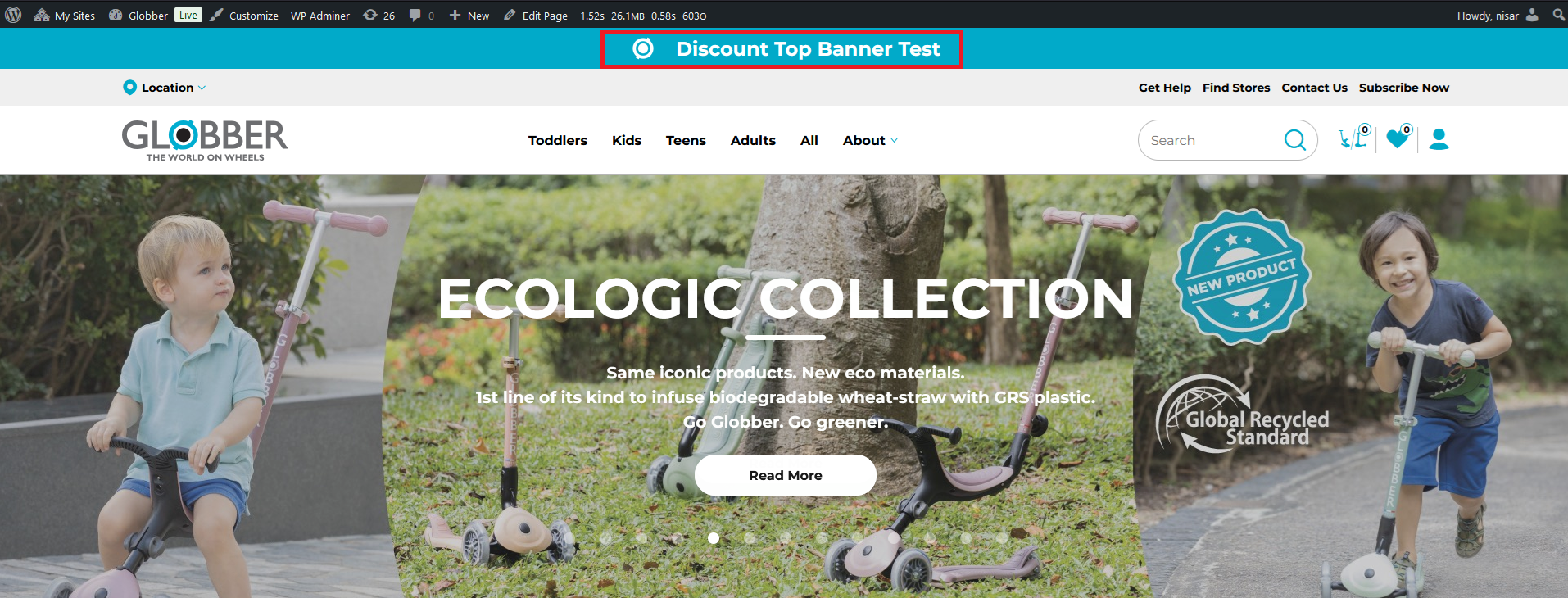
What you can do:
- Show a message across the top of every page
- Link to your sale or promotion page
- First thing visitors see when they visit
How it works: Create a discount in WordPress, then turn on the banner in Site Settings. Add your message and icon.
→ See how to set up the banner
Upsell & Cross-sell
Show customers other products they might want while they shop.
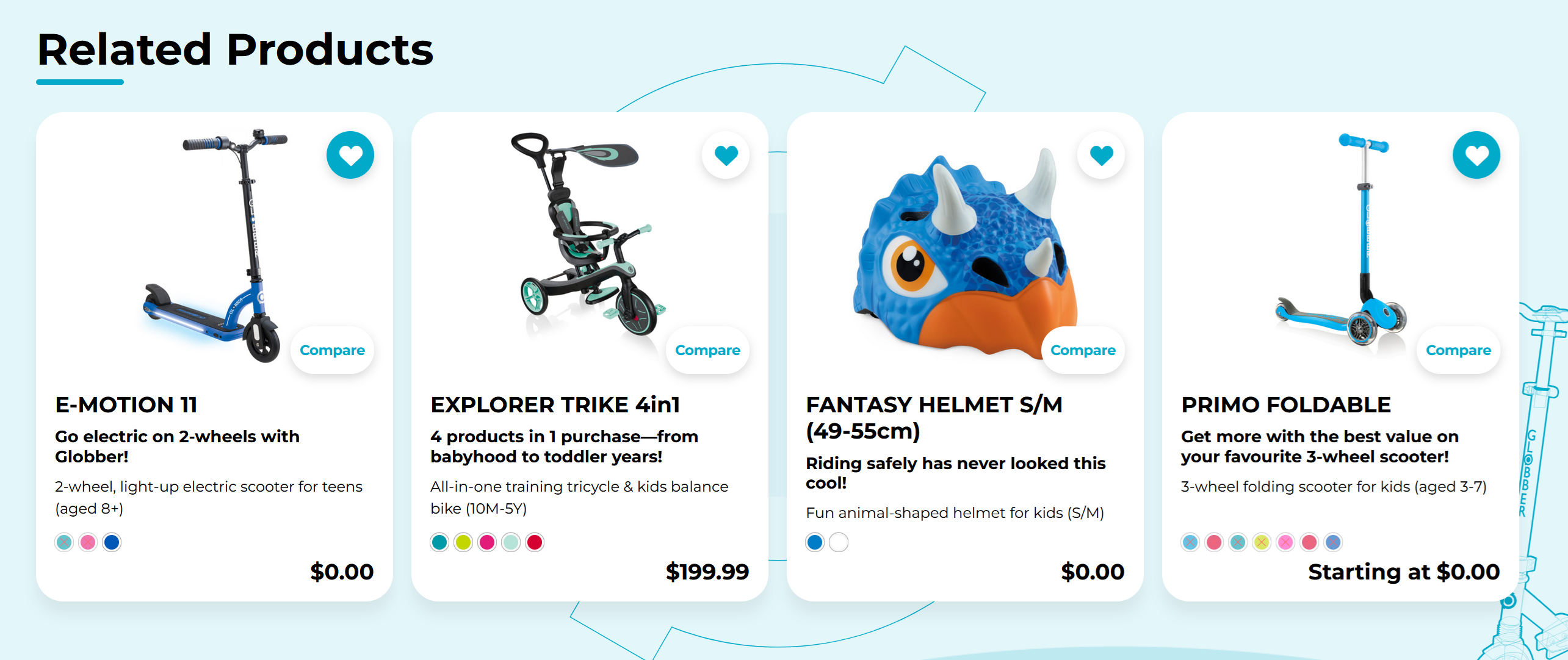
What you can do:
- Upsells: Show better or more expensive options on product pages
- Cross-sells: Show related items in the shopping cart
- Help customers spend more by showing good suggestions
How it works: When you edit a product, scroll down to Linked Products. Pick which products to show as suggestions.
→ See how to set up product suggestions
Gift Cards
Sell gift cards that customers can buy and use as money on your store.
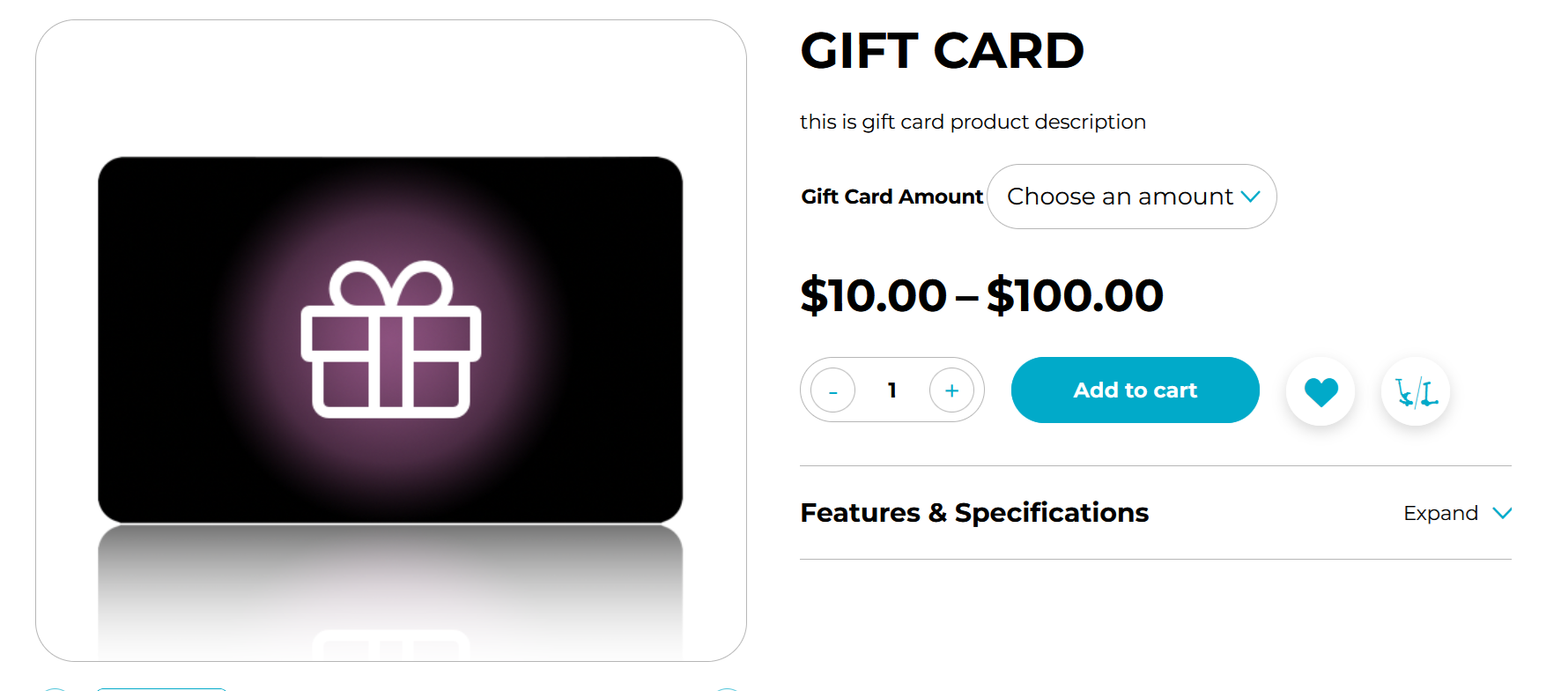
What you can do:
- Customers buy cards with money on them
- Cards work like cash on your website
- Good for gifts
How it works: Gift cards show up as products. When someone buys one, they get a code. They enter the code at checkout and the money comes off their order.
→ See how to manage gift cards
Coupons
Make discount codes that customers type in at checkout.
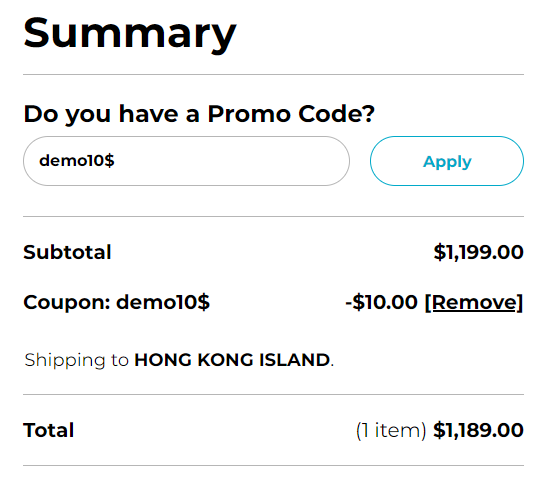
What you can do:
- Create special codes
- Set percentage off or fixed amount off
- Limit how many times it can be used
- Set expiration dates
How it works: Create coupon codes in WooCommerce. Customers enter the code at checkout to get the discount.
Quick Links
Jump to the tool you want to learn about:
- Sale Pricing - Change product prices
- BOGO Deals - Buy one get one offers
- Top Banner - Show announcement at top of site
- Upsell & Cross-sell - Suggest related products
- Gift Cards - Sell gift cards
- Coupons - Discount codes for checkout