Promo / Hero Banner
The Promo / Hero Banner is the first section visitors see when landing on the homepage. It features large, eye-catching banners with promotional content, product launches, or brand messaging.

Version 1.7.9 adds a new Homepage Hero. This Promo / Hero Banner is shown only while Use New Homepage Hero is turned off on the Home V2 page. Keep this section if you may need to switch back.
Promo / Hero Banner has been upgraded with responsive image fields and slide timing controls.
How to Setup Promo / Hero Banner
On the left-hand side menu, navigate to Pages and click All Pages.

In WordPress Pages section, scroll down to find Home — Front Page and click Edit to begin.

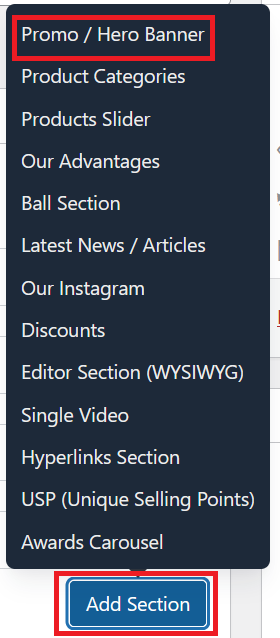
Under [page] - Home V2 section, click Add Section to get started.

In the case of setting up a Promo / Hero Banner section, select Promo / Hero Banner
Banner timing settings
Before editing slides, configure the section-level timing:
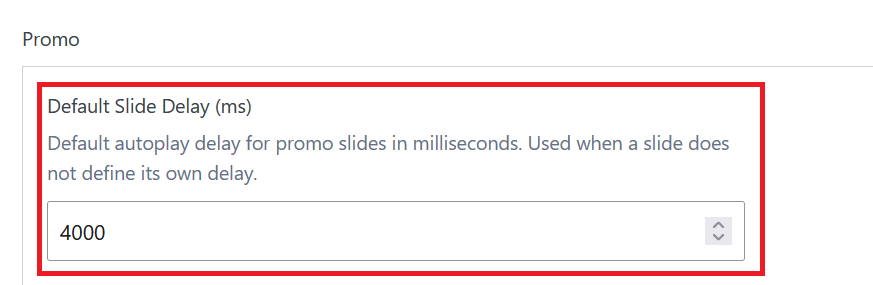
- Default Slide Delay (ms): autoplay delay for all slides.
- Recommended start value:
4000(4 seconds). - Allowed range:
1000to30000.
If a slide does not have its own delay value, this default delay is used.
Slide fields (updated)
Click Add Row to add each slide.

| Field | Description |
|---|---|
| Desktop Image | Main image for desktop and tablet. |
| Mobile Image (optional) | Shown on mobile screens up to 767px. If left empty, the Desktop Image is used. |
| Legacy Image (fallback) | Used only when Desktop Image is not set. Keep this for backward compatibility on older entries. |
| Title | Main headline text, for example NEW COLLECTION 2026. |
| Text | Supporting message shown below the title. |
| CTA | Optional button with a label and link, for example Shop Now. |
| Slide Delay (ms) (optional) | Overrides timing for one slide only. Leave empty to use Default Slide Delay (ms). |
Here is an example of a banner setup with 1 slide.

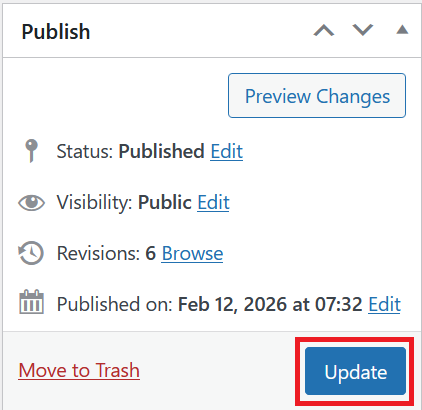
Once you're ready to publish changes, click Update or Publish on the right-hand side.